Overview
Words With Friends is a social word game where players compete against one another to see who can put down the highest scoring words. I joined the team as an intern in 2016 and returned after I graduated to help the team launch Words With Friends 2, an evolution of the game with a fresh new UI, revamped UX, and more game play options. After launch, I continued to work on the game with the goal of improving the user experience and delighting our players.
Role: UX designer, visual designer
Streaks
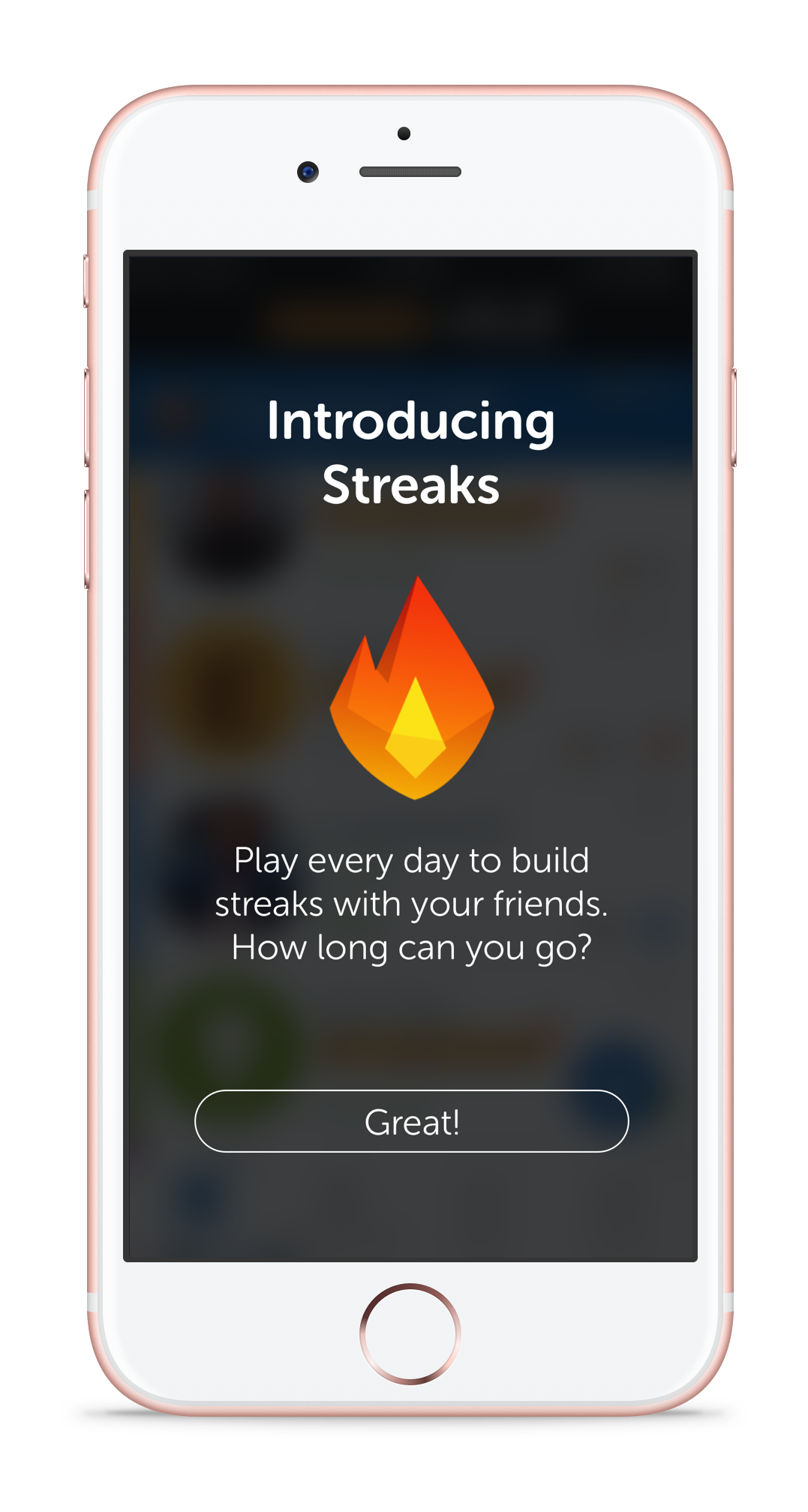
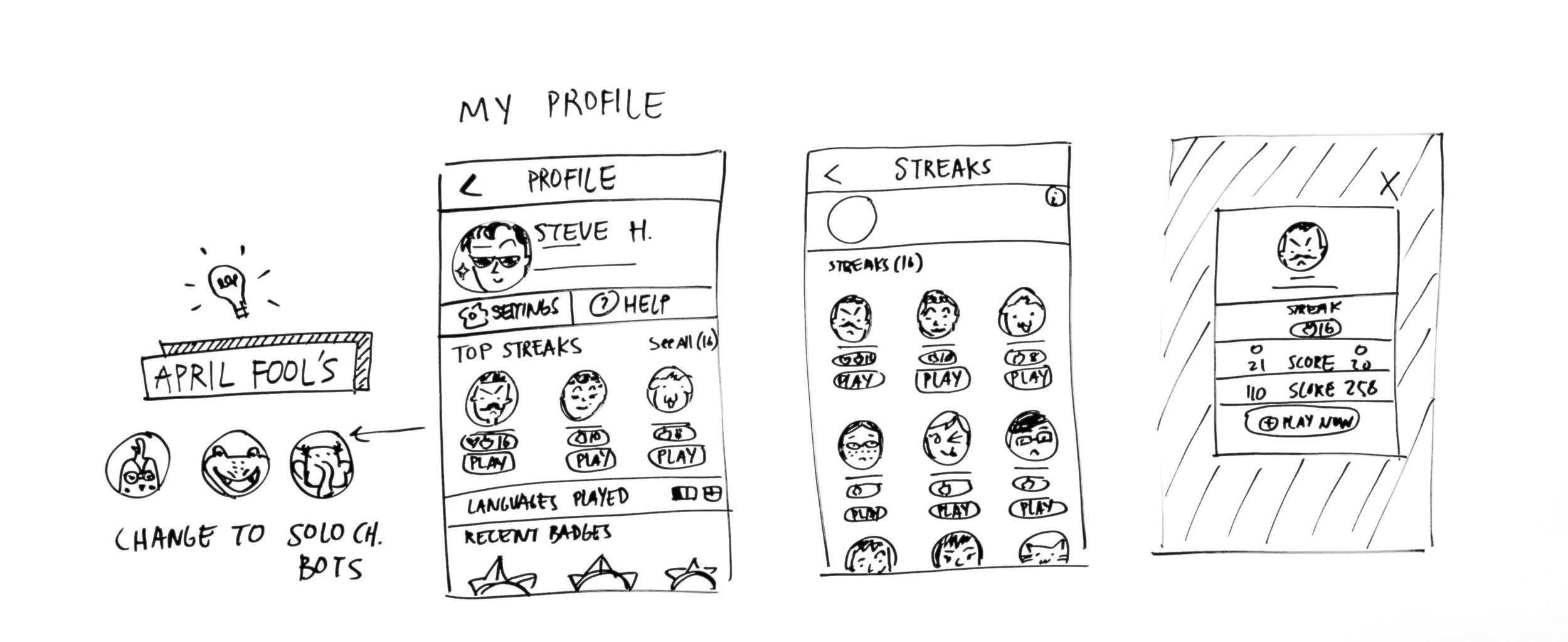
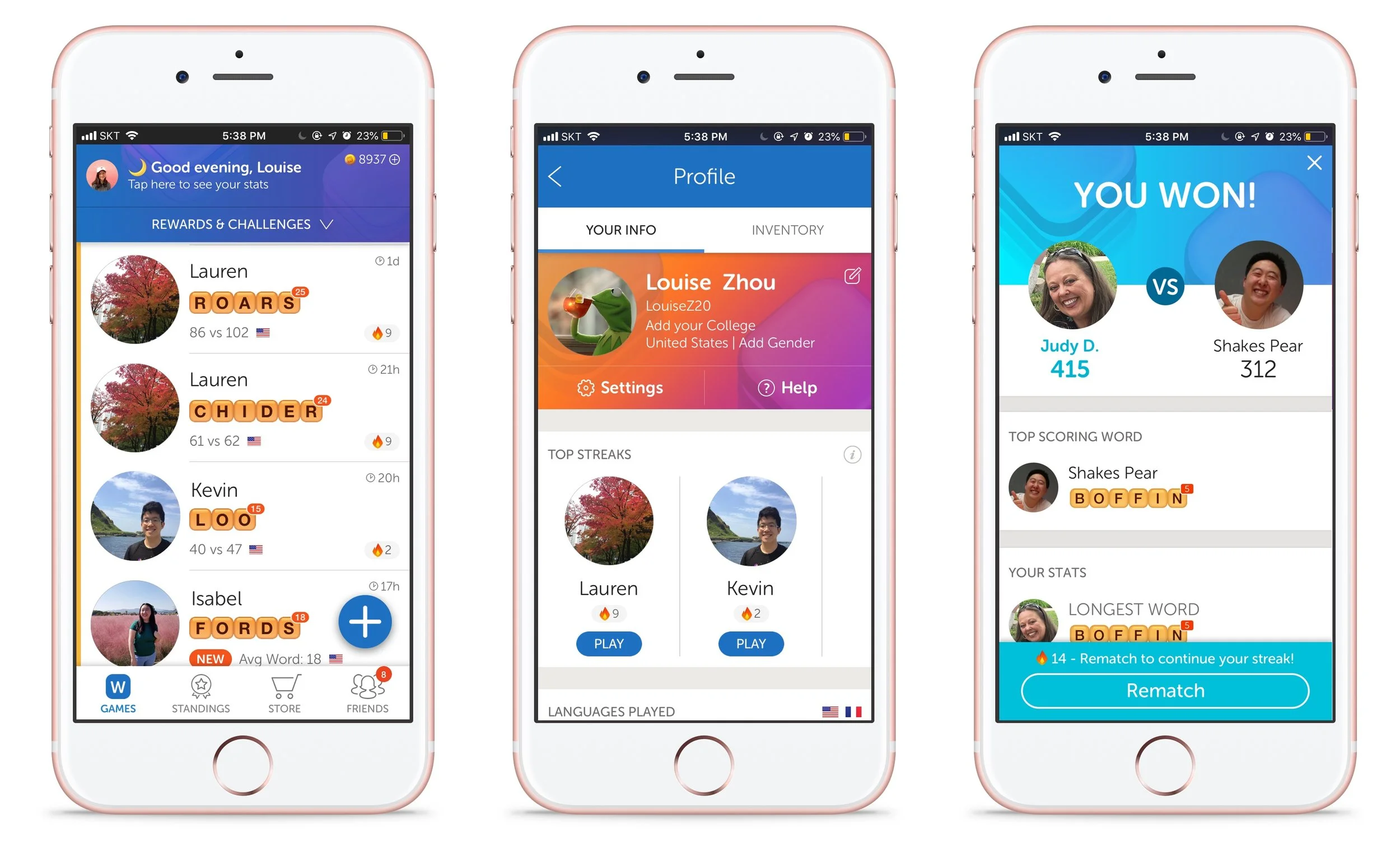
There’s no better way to show off your best Words With Friends buddy by having a 100 day streak to prove it. Streaks count the number of consecutive days you’ve played back and forth with a friend.
Players care about their stats and win streaks, yet we didn’t have a way to show if they had played each other every day for the past month. We believed that if we were to highlight this relationship, players would be excited to play every day.
I worked on this feature initially for an internal hackathon project, then followed through to its release in live production.
We wanted to acknowledge our players and give them a way to celebrate their friendships, and Streaks was the perfect venue for it. We thought about where to surface streaks and decided on the games list on the home screen, a dedicated section in the user’s profile so players could see their top streaks, and at the end of a game to encourage players to keep their streak going.
Show Off Your Relationships
Player Impact
After we launched Streaks, we saw that the feature resulted in a sustained lift of 1% increase in moves. On average, 55% of players have at least one streak and 28% of players have at least one 7+ day streak. On social media we noticed players becoming inspired to develop their relationships by growing their Words with Friends streaks.
Redesigning the Rewards Flow
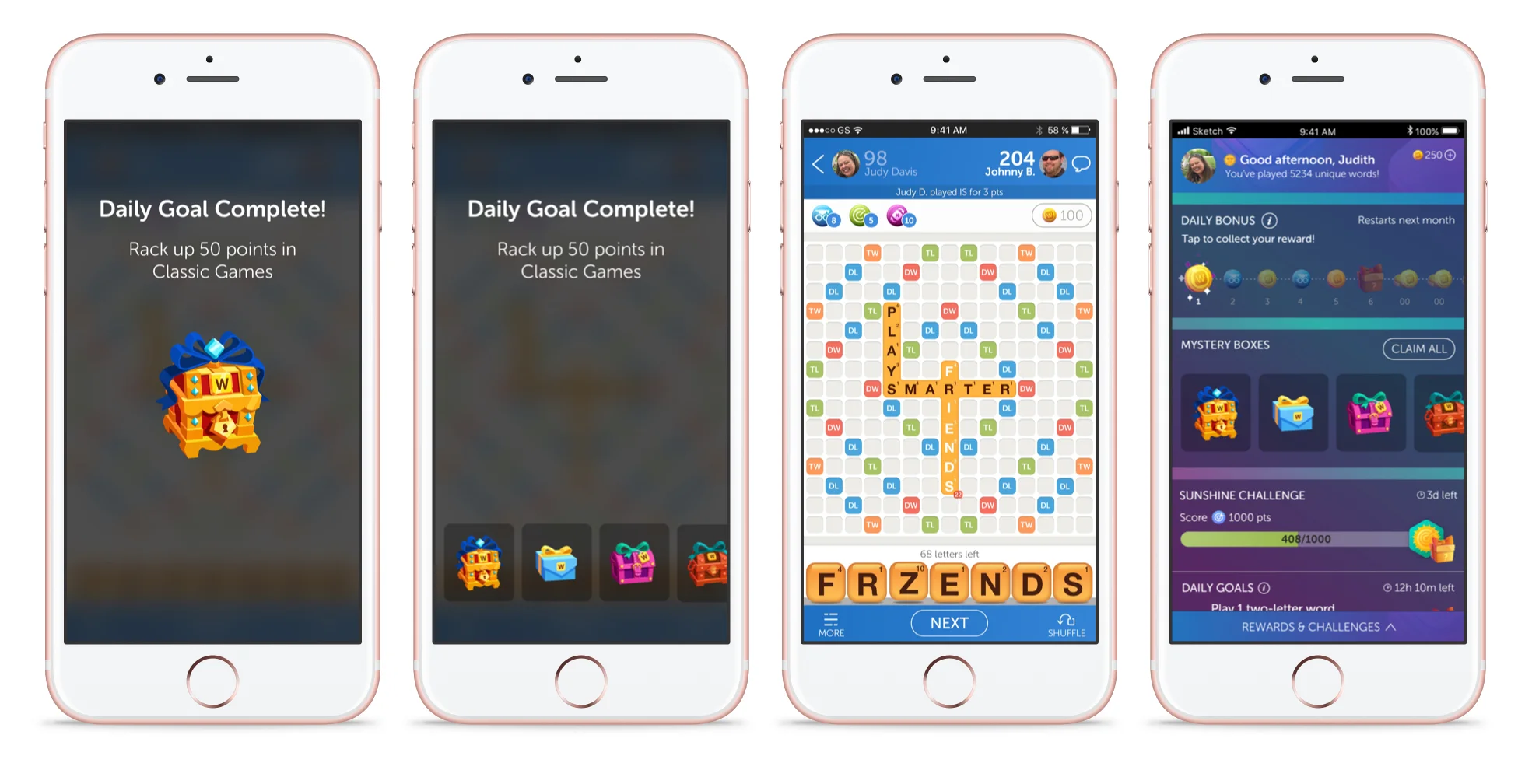
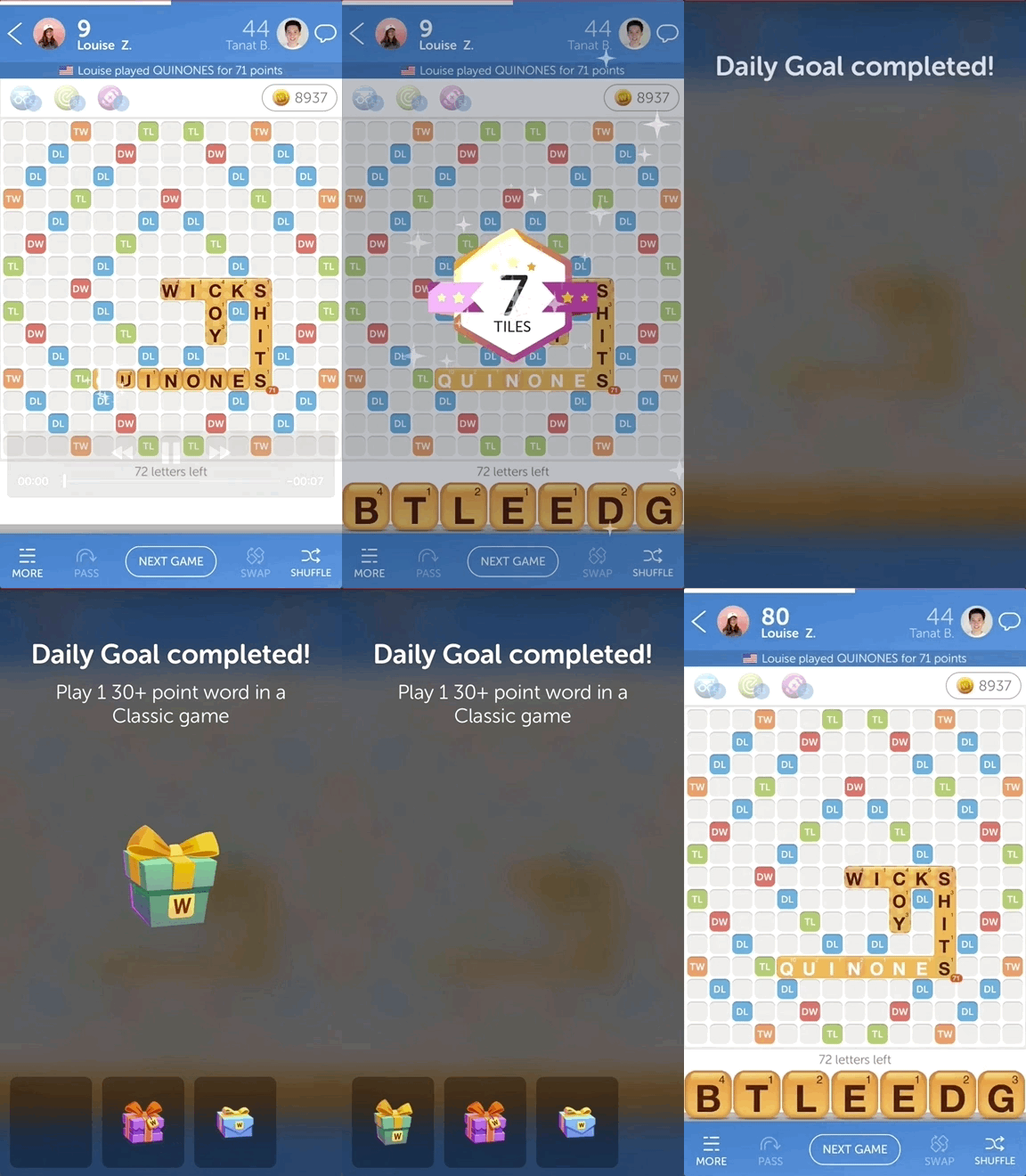
One of the challenges we faced as a team was how to keep the game fresh and exiting without changing the core gameplay experience. We added new reward vectors and let players choose the style of their playing tiles by collecting paint droplets. We also differentiated reward mystery boxes. With all these new rewards, it was soon evident that we needed a new UX flow that would scale as the number of rewards continued to grow.
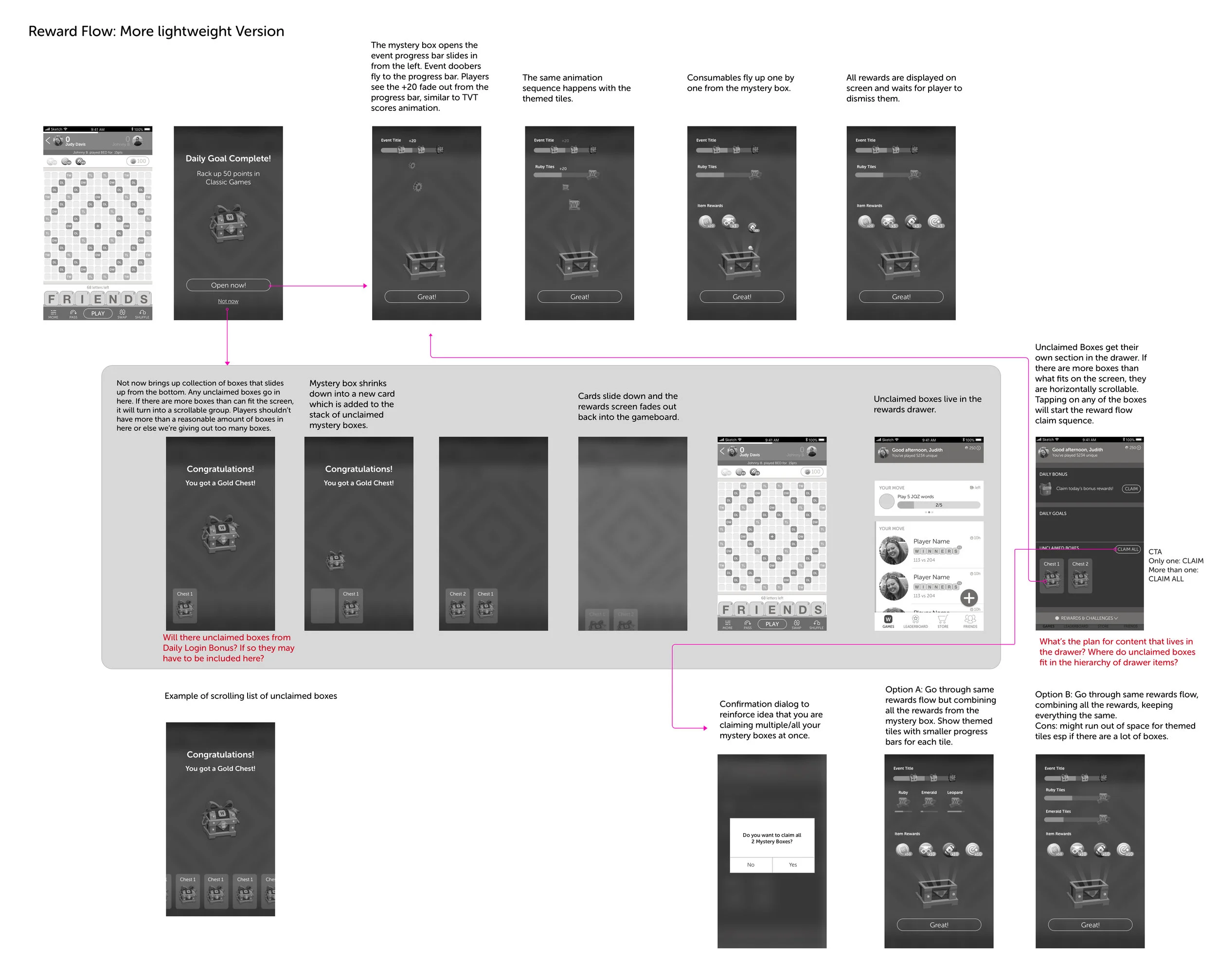
I began the process with a competitive analysis, a UX audit of the current reward flows, then moved on to wire-framing, user testing with prototypes, and delivered the final UX flow and visual design screens.
Opening a Box
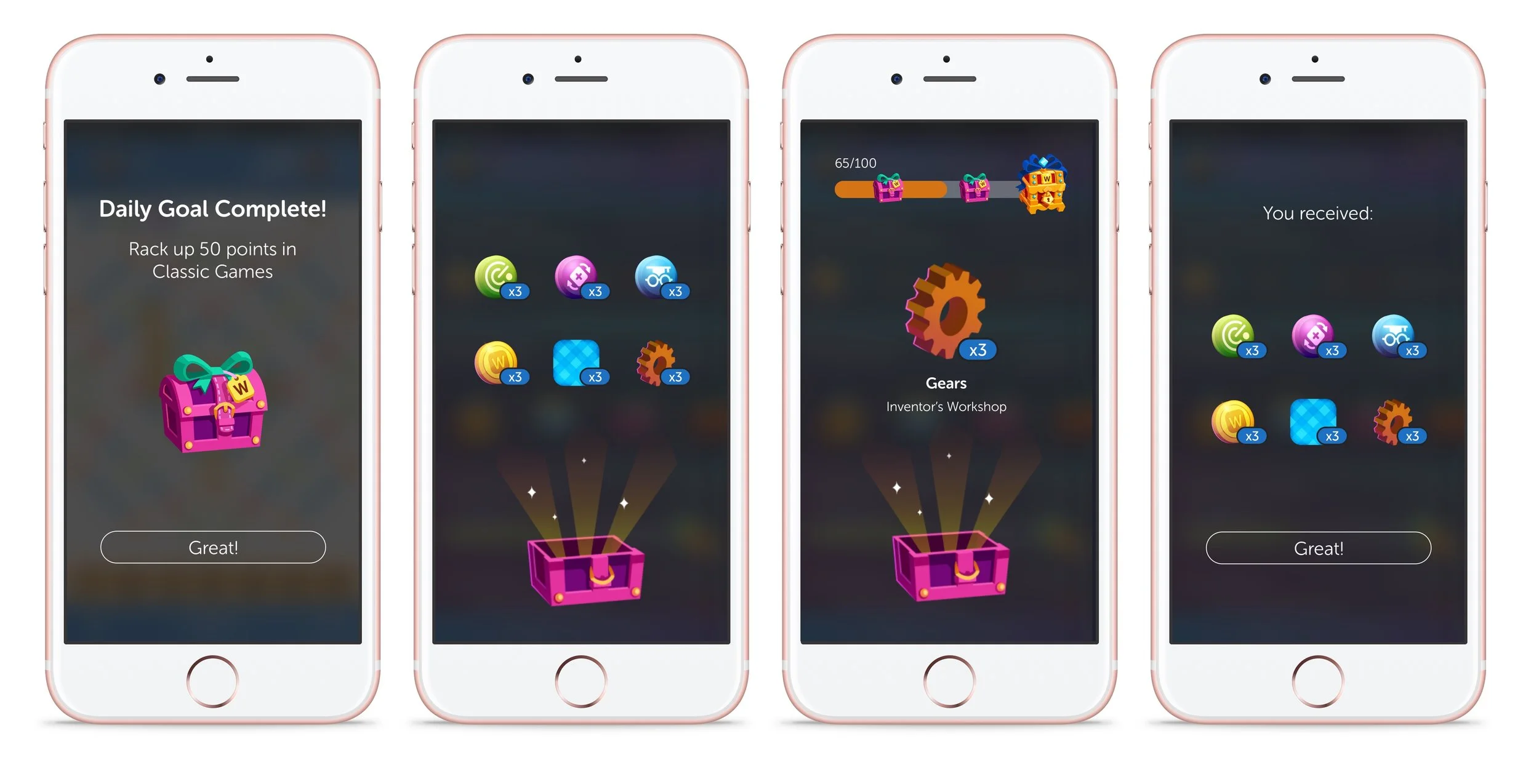
How do we organize the reward content within a box? While designing the new reward flow, one of our top priorities was to make it scalable for any future rewards. As it was, we already had several reward types including coins, power-ups, mystery boxes, tile paints, and event collections. We decided to separate the rewards collection screen between consumable rewards such as coins and power-ups, and collectable rewards such as tile paint and event items.
Delightful yet Lightweight
While we wanted reward animations to delight our players, we also didn’t want to spam them with mystery boxes if they just wanted to go back to playing the game. Thus, I mapped out and prototyped a lightweight way to collect mystery boxes that allowed the player to acknowledge their reward without forcing them to sit through multiple animations.